
Screenshots
App details
- Version
- 5.5.5.8 | 5.5.1.8
- Size
- 3.16 MB
- Updated
- July 12, 2019
- Requires
- Windows 2003
- Language
- English
- License
- Trial version
- Developer
- Amazing-Share
- Category
- Windows OS
SoftPas in:
This product is also available in the following languages:
About Any Android Data Recovery
Download Any Android Data Recovery – Free, Secure & Reliable Data Recovery Tool for Windows, Mac, Android & iOS
Losing important files on your Android device can be a nightmare—photos, messages, contacts, and documents that hold sentimental or professional value can vanish in seconds. With Any Android Data Recovery, you no longer need to panic. This powerful, user-friendly software is designed to help you recover lost or deleted data from Android phones and tablets, whether due to accidental deletion, factory reset, system crash, or formatting. Available as a free download, this tool offers a safe, non-invasive recovery process that doesn’t harm your device. Compatible with a wide range of Android devices—including Samsung, LG, HTC, Motorola, Sony, and more—Any Android Data Recovery scans both internal storage and SD cards to locate recoverable files. The intuitive interface makes it accessible for beginners, while advanced scanning algorithms ensure high recovery rates. Whether you're recovering precious memories or critical work documents, this secure data recovery software delivers reliable results. With the free version, you can preview files before recovery, giving you peace of mind before purchasing the full version. Download Any Android Data Recovery today and reclaim your lost data with confidence.
Powerful Features of Any Android Data Recovery for Seamless Data Recovery
Any Android Data Recovery stands out in the crowded field of data recovery tools thanks to its comprehensive feature set and user-centric design. One of its most impressive capabilities is its ability to recover a wide range of file types, including photos, videos, audio files, documents, contacts, call logs, SMS messages, and even WhatsApp data. This versatility ensures that no matter what kind of data you’ve lost, the software has a strong chance of restoring it. The tool uses advanced scanning algorithms that perform deep scans of both internal memory and SD cards, allowing it to detect files that are no longer visible in the file system. This is especially useful after a factory reset or accidental formatting, where data isn’t immediately erased but merely marked as available for overwrite. Another key feature is the preview function available in the free version. Before committing to a purchase, users can scan their device and preview recoverable files, ensuring the software can retrieve the data they need. This transparency builds trust and prevents wasted spending on a tool that might not work for specific cases. The software also supports non-rooted devices, meaning you don’t need to root your phone to use it—a major advantage for users wary of voiding warranties or risking device instability. Additionally, Any Android Data Recovery is compatible with both Windows and Mac operating systems, making it accessible to a broad user base. The installation process is straightforward, and the step-by-step wizard guides users through every stage of the recovery journey. With automatic updates, the software stays current with the latest Android versions and device models, ensuring long-term usability. Whether you're a casual user or a professional managing critical data, this tool delivers robust performance with minimal effort.How to Install and Use Any Android Data Recovery for Maximum Success
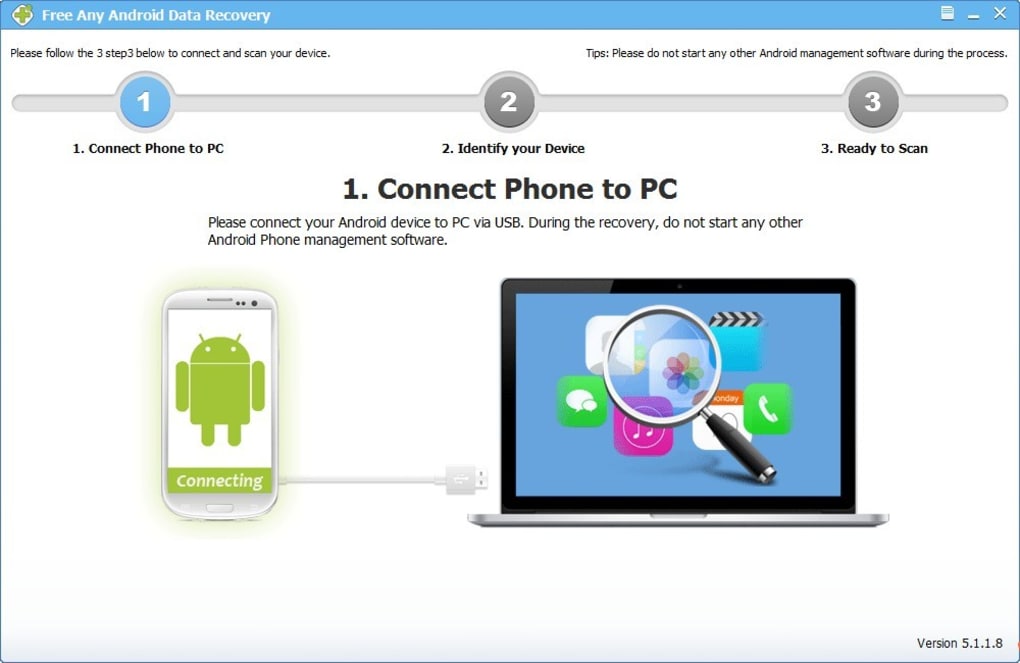
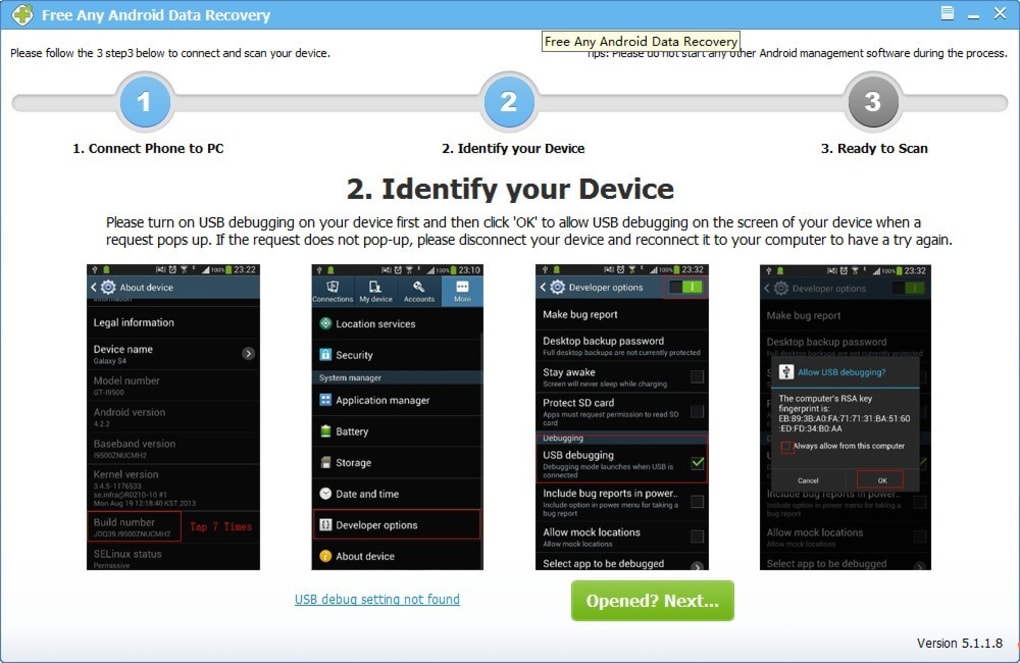
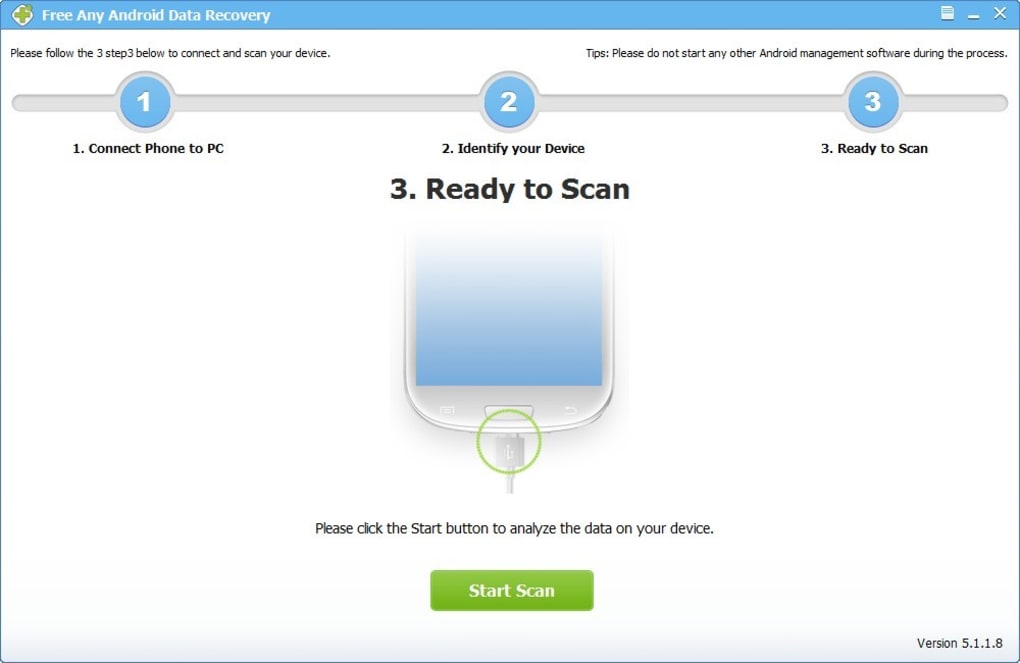
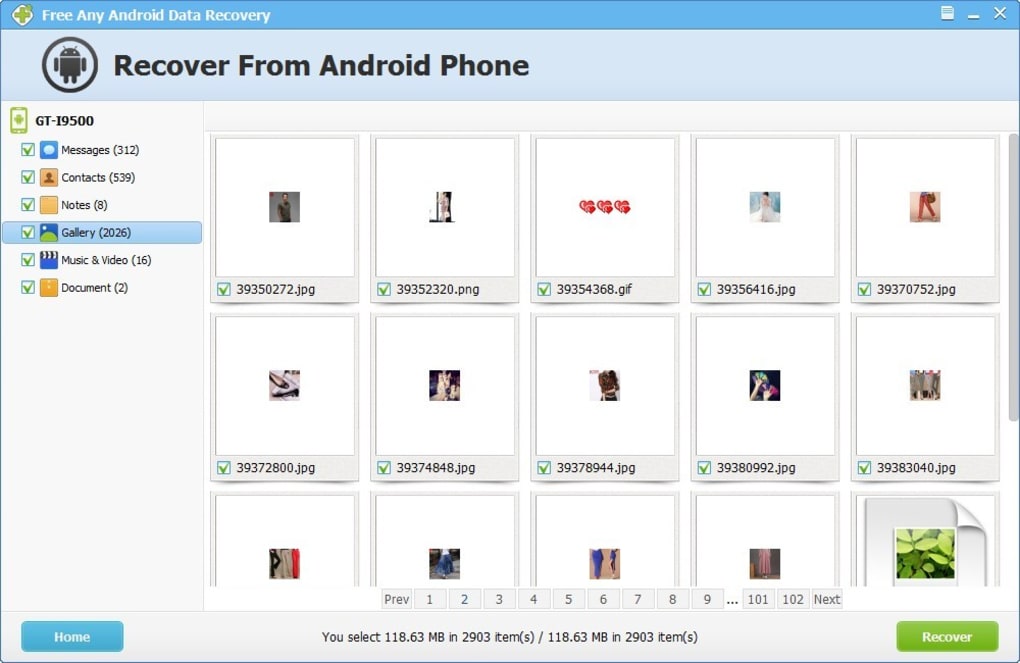
Getting started with Any Android Data Recovery is simple and designed for users of all technical levels. First, download the software from the official website—available for Windows and Mac—and run the installer. The setup process is quick and requires no complex configurations. Once installed, launch the application and connect your Android device to your computer via USB. Make sure USB debugging is enabled in your device’s Developer Options (a quick guide is usually provided within the app). The software will automatically detect your phone and prompt you to begin the scan. During the scan, the tool performs a deep analysis of your device’s storage, searching for deleted or lost files. This process may take several minutes depending on the amount of data and device speed. Once the scan completes, you’ll see a categorized list of recoverable files. Use the preview feature (available in the free version) to verify the integrity of the files before recovery. Select the specific files you want to restore—whether it’s a single photo, a group of messages, or an entire folder—and click “Recover.” Choose a safe location on your computer to save the files, ensuring you don’t overwrite existing data. The entire process is non-destructive, meaning your device remains untouched and safe throughout. For best results, act quickly after data loss. The longer you wait, the higher the chance of new data overwriting the deleted files. Avoid using your device until recovery is complete. Regular backups are still recommended, but when disaster strikes, Any Android Data Recovery provides a reliable safety net. With its intuitive interface and reliable performance, this tool turns a stressful situation into a manageable recovery task.Compatibility: Works Across Windows, Mac, Android, and iOS Devices
Any Android Data Recovery is engineered for broad compatibility, ensuring it can assist users regardless of their operating system or device brand. The software is officially supported on Windows 7 and later (including Windows 10 and 11) and macOS 10.12 and above, making it accessible to the majority of computer users. Whether you’re using a desktop or laptop, the installation process is smooth and fast, with no additional drivers required in most cases. On the mobile side, it supports a vast range of Android smartphones and tablets, including flagship models from Samsung (Galaxy S and Note series), LG, HTC, Motorola, Sony Xperia, and many others. The software is compatible with both rooted and non-rooted devices, which is a significant advantage for users who want to avoid the risks associated with rooting. It can recover data from internal storage as well as removable SD cards, giving you flexibility in where your files were stored. While the tool is primarily designed for Android, some versions offer limited support for iOS devices through alternative methods (such as iTunes backup recovery), though this functionality may vary. For Android users, however, the compatibility is exceptional. The developers regularly update the software to maintain support for new Android versions and device models, ensuring long-term usability. Whether you're using a budget phone or a high-end flagship, Any Android Data Recovery adapts to your device’s specifications and storage architecture. This cross-platform functionality, combined with a secure and stable recovery process, makes it one of the most versatile tools in its category.Pros and Cons of Any Android Data Recovery
- Pros:
- Supports recovery of photos, videos, messages, contacts, documents, and WhatsApp data
- Non-invasive recovery process—safe for your device
- Free version allows preview of recoverable files
- Compatible with Windows, Mac, and a wide range of Android devices
- Intuitive interface—ideal for beginners
- Deep scanning technology with high recovery success rates
- Does not require rooting your device
- Regular updates ensure compatibility with new Android models
- Cons:
- Full recovery requires purchasing the licensed version
- Recovery success depends on how quickly you act after data loss
- SD card recovery may be limited on older or corrupted cards
- Some users report slower scan times on devices with large storage
- Limited iOS support compared to Android
Frequently Asked Questions (FAQ)
Final Verdict: Why Any Android Data Recovery Is a Must-Have Tool
In a world where our digital lives are stored on smartphones, losing data can feel like losing a part of ourselves. Any Android Data Recovery offers a reliable, secure, and user-friendly solution to this common problem. With its powerful scanning engine, broad device compatibility, and intuitive interface, it stands out as one of the best free data recovery tools available. The ability to preview files before recovery gives users confidence and control, while the non-rooted requirement makes it safe for everyday use. While the full recovery feature requires a paid license, the free version’s functionality is robust enough to justify a download. Whether you’ve accidentally deleted a photo, wiped your phone, or experienced a system crash, this tool gives you a second chance to reclaim your memories and important files. It’s a must-have for anyone who values their digital data. Download Any Android Data Recovery today and take the first step toward peace of mind—because no file should be lost forever.Guides & Tutorials
How to install Any Android Data Recovery
- Click the Download button above.
- Once redirected, accept the terms and click Install.
- Wait for the Any Android Data Recovery download to finish on your device.
How to use Any Android Data Recovery
This software is primarily used for its core features described above. Open the app after installation to explore its capabilities.
User Reviews
No reviews yet. Be the first to share your experience.
You may also like
more
Llama 2
Free-to-use large language model As the new addition to Meta’s arsenal of langua...

NotebookLM
Revolutionizing the note-taking and idea-generation process NotebookLM is an exp...

Github co pilot
AI-inspired software development and coding platform GitHub Copilot is a browser...

Google Gemma
Google’s lightweight AI models Introducing Google Gemma , a family of cutting-ed...

AI Image Enlarger
A free app for Windows, by ai-image-larger. AI Image Enlarger is a free software...

DALL E
AI-driven text-to-image transformation engine DALL·E is a free graphic and desig...